.png?width=147&height=34&name=POS-Nation-Logo-Main%20(1).png)




110 Retailer Resources & Tools You Need in 2026
There’s nothing generic about retail stores.
Even if your retail store is part of a chain, the way you manage your store is unique. Just like you wouldn’t settle for poor-quality products, you also shouldn’t settle for generic point of sale (POS) systems.
Every store is different:
- A grocery store needs to weigh produce and accept EBT payments.
- A liquor store needs age verification on every sale and inventory tools that show which bottles fly off shelves versus collect dust.
- A tobacco shop needs high-risk payment processing.
- A convenience store needs lottery tracking, dual pricing, and to stay up and running when the internet goes down.
A one-size-fits-all POS can't handle any of that. And when your system doesn't match your business, you end up with workarounds, manual processes, and mistakes that cost you money.
But! You don’t need to build a custom POS system from scratch. Once you know what to look for, you can find a provider who already specializes in your industry.
This blog breaks down the key considerations for hardware, software, integrations, and costs so you can make a decision that actually fits your store.
Tip 1: Start With Your Nonnegotiables
Before you look at any POS system, make a list of features you absolutely can’t operate without. Not nice-to-haves or bells and whistles. Start with your requirements.
What does this look like by industry?
|
Industry |
Must-Have Features |
|
Grocery |
Scale integration, EBT/SNAP acceptance, offline mode, multi-lane checkout |
|
Liquor |
Age verification, auto ranking reports, bottle deposit tracking, e-commerce |
|
Tobacco |
High-risk payment processing, age verification, category-based reporting |
|
Convenience |
Lottery integration, dual pricing, EBT support, high-risk processing |
If you run a grocery store and switch to a cheaper system — only to realize it can’t track items by weight or accept EBT payments — you’ll have to calculate produce prices by hand and turn away customers. Those “savings” disappear fast.
Tip 2: Choose Hardware That Matches Your Workflow
Every retail store is different, and your hardware setup depends on how customers move through your store. For example, a single-register tobacco shop needs a different setup than a grocery store with eight lanes and self-checkout kiosks.
Core hardware components to consider include:
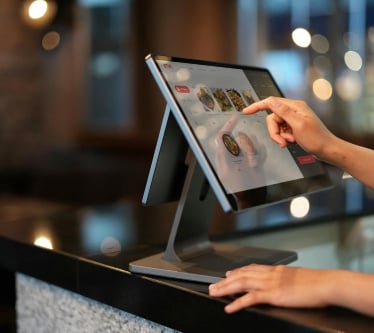
- Touchscreen terminal: Look for a responsive, intuitive interface that new employees can learn quickly. Training time matters when turnover is high.
- Barcode scanner: Find a scanner that’s fast and accurate. Grocery and convenience stores with thousands of SKUs need speedy, reliable scanning.
- Receipt printer: Invest in a thermal printer — they’re faster and quieter than impact printers. Make sure it integrates with your software.
- Cash drawer: Verify that your cash drawer syncs with your system to ensure accurate cash-out reports.
- Card readers: Modernize your store with EMV chip readers to accept contactless payments. Make sure it supports mobile payments, too.
These are the basics. Depending on your retail store, you’ll also need industry-specific hardware.
|
Industry |
Additional Hardware |
|
Grocery |
Integrated scales, self-checkout terminals, customer-facing displays |
|
Liquor |
ID scanners for age verification |
|
Tobacco |
ID scanners, potentially handheld devices for inventory |
|
Convenience |
Lottery terminals, fuel pump integration (if applicable) |
Don’t make the mistake of buying hardware first and then trying to find compatible software. Choose your software based on the features you need, then get hardware that’s certified to work with your system.
Related Read: What Is the Best POS System for Retail Stores? 12 Top Providers [Features & Pricing]
Tip 3: Prioritize Software Features That Solve Your Actual Problems
With a generic POS system, you might get basic sales tracking and inventory management. Retail-specific software gives you tools designed for the problems you face every day.
Features grocery stores need:
- Scale integration to sell items by weight without manual entry
- EBT and SNAP processing so you don't turn away customers
- Offline mode that keeps checkout running when your internet drops
Features liquor stores need:
- Auto ranking reports that show your top sellers versus slow movers, so you know what to reorder and what to discontinue
- Age verification built into every transaction, not as an afterthought
- Centralized SKU database with thousands of products preloaded
- Multilocation management for owners running more than one store
Features tobacco shops need:
- High-risk merchant processing because standard processors often won't work with tobacco retailers
- Age verification on every sale with receipt records showing ID was checked
- Category-based reporting to track tobacco versus non-tobacco revenue
Features convenience stores need:
- Lottery sales tracking and reporting
- Dual pricing to offer cash discounts and offset processing fees
- EBT acceptance for food items
- Fast checkout to handle high transaction volume during rush hours
POS software should also give you real-time reporting you can access from anywhere. If you manage multiple locations or step away from the register, you need visibility into what's happening at each store.
Tip 4: Plan Your Integrations Before You Buy
Your POS system doesn’t operate in isolation. You use other tools to run your business, and instead of silos, you want connections.
Common integrations to consider include:
- Payment processing: Your POS should work with your processor or offer integrated processing with competitive rates.
- Accounting software: Make sure you can connect to QuickBooks, Xero, or other tools you use to manage your books.
- E-commerce platforms: If you sell online, your inventory should sync between in-store and web sales.
- Loyalty programs: Your POS should have built-in or third-party rewards programs that track customer purchases.
- Vendor management: Import invoices, track purchase orders, and manage supplier relationships.
Then you’ll need industry-specific integrations, such as:
|
Industry |
Key Integrations |
|
Grocery |
Scale systems, EBT networks, delivery apps |
|
Liquor |
E-commerce platforms, DoorDash, ID verification services |
|
Tobacco |
High-risk payment processors, compliance reporting |
|
Convenience |
Lottery systems, delivery services |
Ask potential vendors: What happens when I need to add a new integration later? Some systems lock you in, others let you expand as your business grows.
Related Read: Retail Vendor Management: Strategies, Tips, & Tools

Tip 5: Understand the True Cost (Not Just the Price Tag)
Some POS providers are less than transparent about pricing. And in general, pricing can be confusing.
One vendor quotes $99/month. Another wants $2,500 upfront plus $150/month. A third claims their system is "free" but charges 3% on every transaction.
Here's how to break down what you're actually paying.
Hardware costs: $500–$3,000+
|
Component |
Typical Cost |
|
Touchscreen terminal |
$300–$1,200 |
|
Barcode scanner |
$50–$300 |
|
Receipt printer |
$100–$300 |
|
Cash drawer |
$50–$150 |
|
Card reader |
$50–$300 |
Software costs: $50–$300/month
|
Model |
Monthly Cost |
Pros |
Cons |
|
Subscription |
$50–$200/month |
Lower upfront cost, updates included |
Ongoing expense |
|
One-time license |
$500–$2,000 |
No monthly fees |
Upfront investment |
Payment processing: 2–3% per transaction
This is where costs add up fast. At $500,000 in annual sales, the difference between 2.5% and 3.5% is $5,000 per year.
Related Read: How Much Does a POS System Cost? A Quick Breakdown for Specialty Retailers
Hidden costs to consider:
- Onboarding fees: Some vendors charge $500 or more for installation and setup.
- Training costs: Is training included, or do you pay extra?
- Support fees: 24/7 support matters when your system crashes on a Saturday afternoon.
- Contract termination fees: What does it cost to leave if the system doesn't work out?
- Integration fees: Some vendors charge additional fees to connect with accounting or e-commerce software.
Before you sign anything, make sure you have the full cost breakdown in writing.
Tip 6: Evaluate the Risks of Getting It Wrong
There’s more than money at stake if you choose the wrong POS provider. Some companies promise to let you build a custom POS, but there will always be tradeoffs. Once you’re tied in, it’s hard to get out.
Here’s what’s at stake:
Compliance failures: A liquor store without proper age verification risks fines, license suspension, or worse. A tobacco shop without receipt records showing ID was checked has no documentation if regulators come asking.
Lost sales: A grocery store that can't process EBT payments turns away customers. A convenience store without lottery integration loses a major revenue stream.
Downtime costs: You call support at 5:30 p.m. on Friday, your busiest day, because the system crashed. You get voicemail. Now you're manually ringing up sales on a calculator while customers wait in line.
Switching costs: Moving to a new system means migrating inventory data, retraining staff, and potentially losing historical sales records. Choosing right the first time saves you from doing it twice.
Related Read: Migration Myths: What Really Happens When You Switch POS Systems
You can mitigate these risks by asking the right questions.
About the software:
- Does it handle my industry's specific needs (EBT, age verification, lottery, etc.)?
- Can I add features later without switching systems?
- What happens to my data if I stop paying?
About support:
- What are your support hours?
- How quickly do you respond to critical issues?
- Is there a dedicated support team for my industry?
About the contract:
- What's the minimum commitment?
- What does it cost to cancel early?
- Are price increases locked in, or can fees change?
Go into any demo or sales call armed with a checklist and make sure the POS system works for your store.
Tip 7: Choose a Provider That Already Knows Your Industry
The last thing you want is to cobble together hardware from one vendor, software from another, and integrations from a third party. That’s not a custom POS system, it’s a Franken-system.
Find a provider that specializes in your retail vertical. If they’ve walked in your shoes? Even better. They’ve already solved the problems you’re going to face. They know which hardware is best for your checkout flow and built the integrations you need.
Here’s what to look for in a retail-specific POS provider:
- Prebuilt solutions for your industry (grocery, liquor, tobacco, convenience, etc.)
- Hardware and software bundled together, tested to work
- Industry-specific features already included, not add-ons
- Support from people who understand your business
- Transparent pricing without hidden fees
Industry-specific POS systems pay for themselves when you factor everything in.
Build a Custom POS System for Your Retail Store
You don’t need to start from scratch to build a custom POS system. You can find a solution that’s already customized to your industry and store operations.
Whether you run a grocery store that needs scale integration and EBT processing, a liquor store that depends on auto ranking and age verification, a tobacco shop that requires high-risk processing, or a convenience store that relies on lottery and dual pricing, the right system already exists.
And POS Nation can help you find one.
We recommend retail-specific point of sale systems for grocery stores, liquor stores, tobacco shops, convenience stores, and more. You’ll get the hardware, software, and integrations you need, backed by support from people who actually understand retail.
Ready to get started? Schedule a demo to see how a POS system built for your store can simplify your operations and help you grow.


With nine years in content marketing and six years specializing in B2B tech, Gina leads the content team at POS Nation. Her expertise spans content writing, SEO, video, graphic design, and email marketing, with deep knowledge of retail technology and point of sale solutions.