.png?width=147&height=34&name=POS-Nation-Logo-Main%20(1).png)


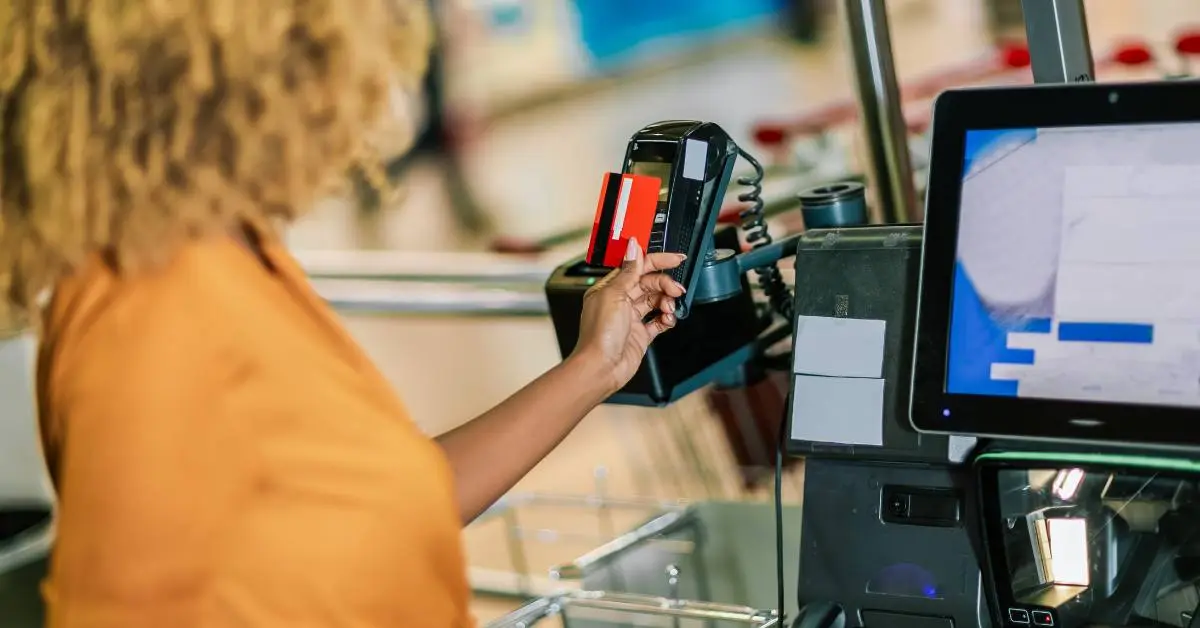


How Does Contactless Payment Work? [+ Why Your Store Needs It]
As a retail store owner, you know that even small checkout issues have a big impact on your customers' experience and your day-to-day operations. Customers want convenience. You want reliability without costs spiraling out of control.
Debit and credit together account for two-thirds of all payments U.S. consumers make. Your credit card reader is often the last thing a shopper touches before they walk out the door. Choose the right one, and checkout stays fast, payments process reliably, and your team can focus on serving customers. Choose the wrong one, and you're troubleshooting dropped connections and keying in totals by hand during your busiest hour.
Start with our top picks below, then use the buying criteria to match a reader to how your store actually sells.
Our Top Credit Card Reader Picks
Most retailers don't need an exotic setup. They need a reader that takes chip, tap, and swipe payments, connects without a fight, and holds up to a few hundred transactions a day.
Selling from a cell phone you already own? Tap to Pay on iPhone turns the phone in your pocket into a contactless reader at no hardware cost. You'll need an iPhone XS or newer running iOS 15.5 or later, and most major processors offer an Android equivalent through their own apps. The catch? It takes tap payments only, so a customer holding a chip card with no digital wallet can't pay you.
Our Pick: The P5
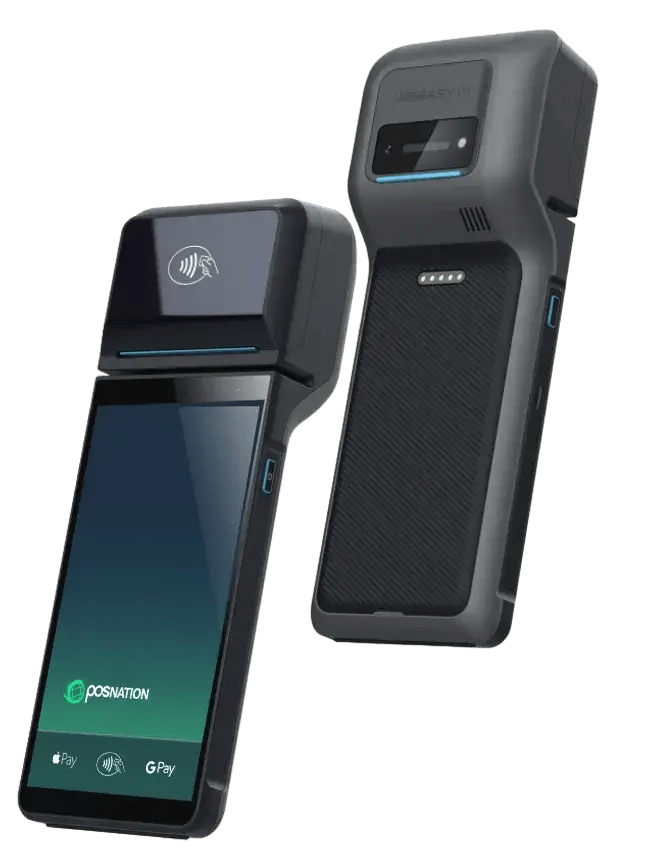
The P5 is the reader we suggest for your counters, and it earns that spot by being unremarkable in the best way — it takes the payment, prints the receipt, and stays out of your team's way. Here's what you get in a wireless countertop reader:
- Every payment type your customers use: The P5 takes PIN debit and Visa, Mastercard, Discover, and AMEX by chip, contactless NFC, or swipe.
- A built-in printer: An attached thermal receipt printer means one less device on your counter.
- 15 hours of battery: A wireless battery pack carries checkout through a power hiccup.
- Automatic updates: Firmware installs itself overnight over Wi-Fi, so nobody on your team has to think about it.
- Plug-and-play setup: Connect to Wi-Fi, enter the pairing code, and start taking payments. No technician is required. If Wi-Fi won't reach your counter, a USB-C-to-Ethernet adapter is available separately.
At $400, the P5 sits in the practical middle of the market. It's more capable than a phone dongle, cheaper than a full smart-terminal ecosystem, and simple enough for a store manager to set up alone. Payments run on flat-rate pricing with no hidden fees, and the same in-house team that supports your software supports your processing.
Related Read: What Is Contactless Payment?
A Closer Look at Other Options
Here's how the rest of the field stacks up.
Square Reader and Square Terminal: For Pop-Ups and First-Time Buyers
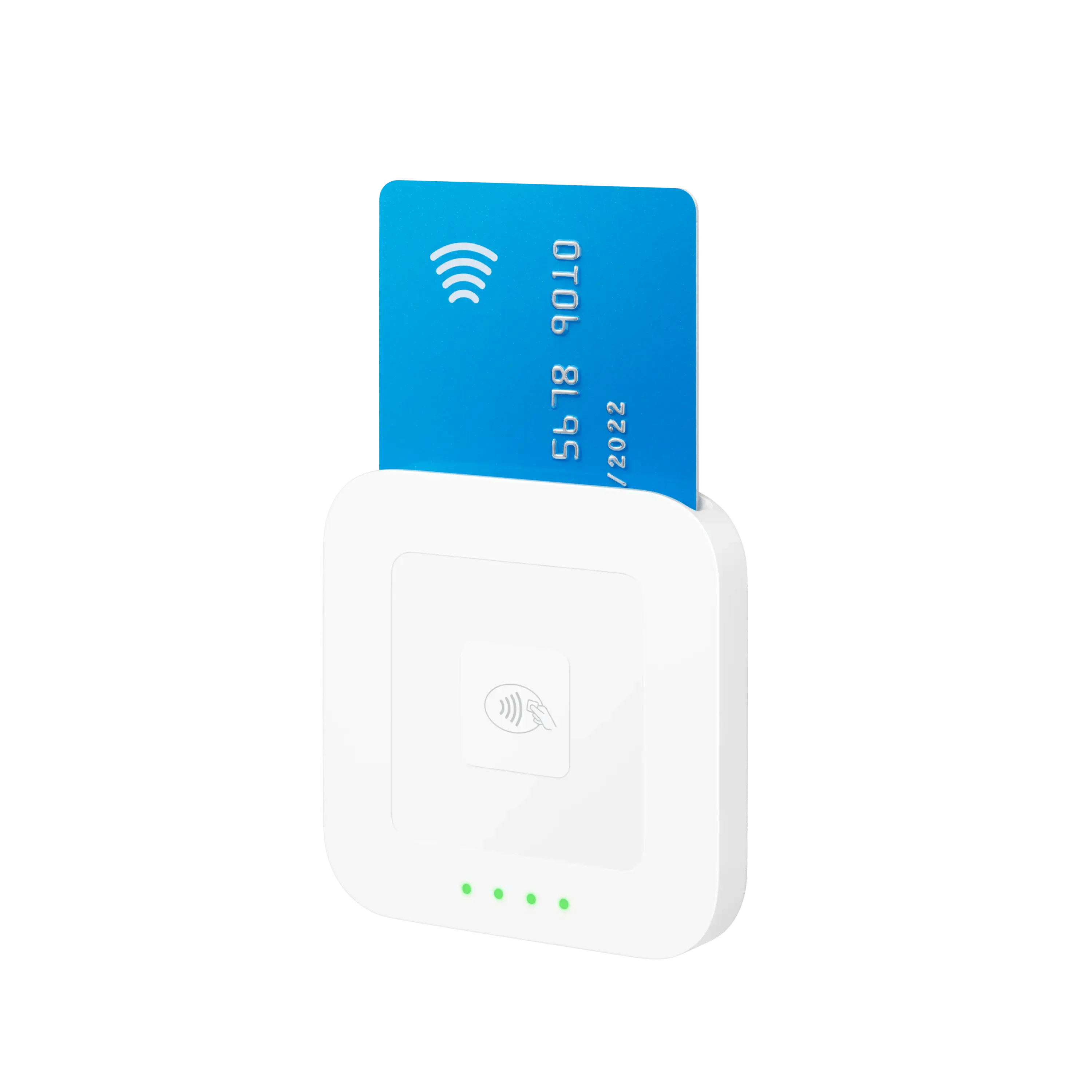
(Image source: https://squareup.com/us/en/hardware/contactless-chip-reader)
Square sells two devices worth a look at opposite ends of the range:
- Square Reader, 2nd gen ($59), takes tap and chip payments over Bluetooth and pairs to a phone or tablet. Selling at markets, events, or the occasional pop-up? This is the cheapest way in.
- Square Terminal ($299) is an all-in-one handheld with a built-in printer, and a reasonable first buy if you don't have point of sale (POS) software yet and want one device for payments and receipts.
Either way, you're starting inside one company's ecosystem, so moving out later means new hardware.
Pro tip: Square Reader leans on a phone and a signal. Treat it as a supplement to a real counter setup, not a replacement. A garden center might keep a P5 at the register year-round, then add a mobile reader every April for its sidewalk plant sale — both devices report to the same software, so the store still runs one inventory count. That combination is a feature, not a compromise.
SumUp Solo: For Mobile Selling Without a Phone
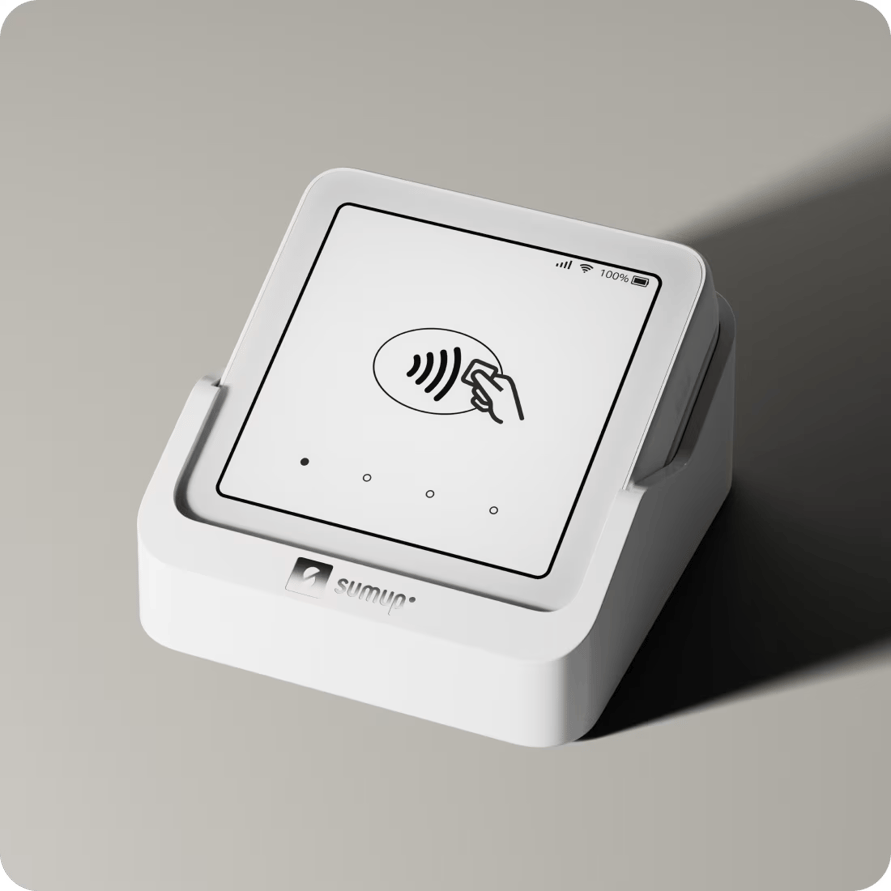
Source: https://www.sumup.com/en-us/solo-card-reader/
SumUp Solo carries its own screen and a built-in SIM card, so you're not holding a phone in one hand while a customer taps with the other, and you're not dependent on venue Wi-Fi. It takes chip and contactless payments and sends digital receipts from the device itself.
Clover Go, Flex, and Mini: For Smart Terminals
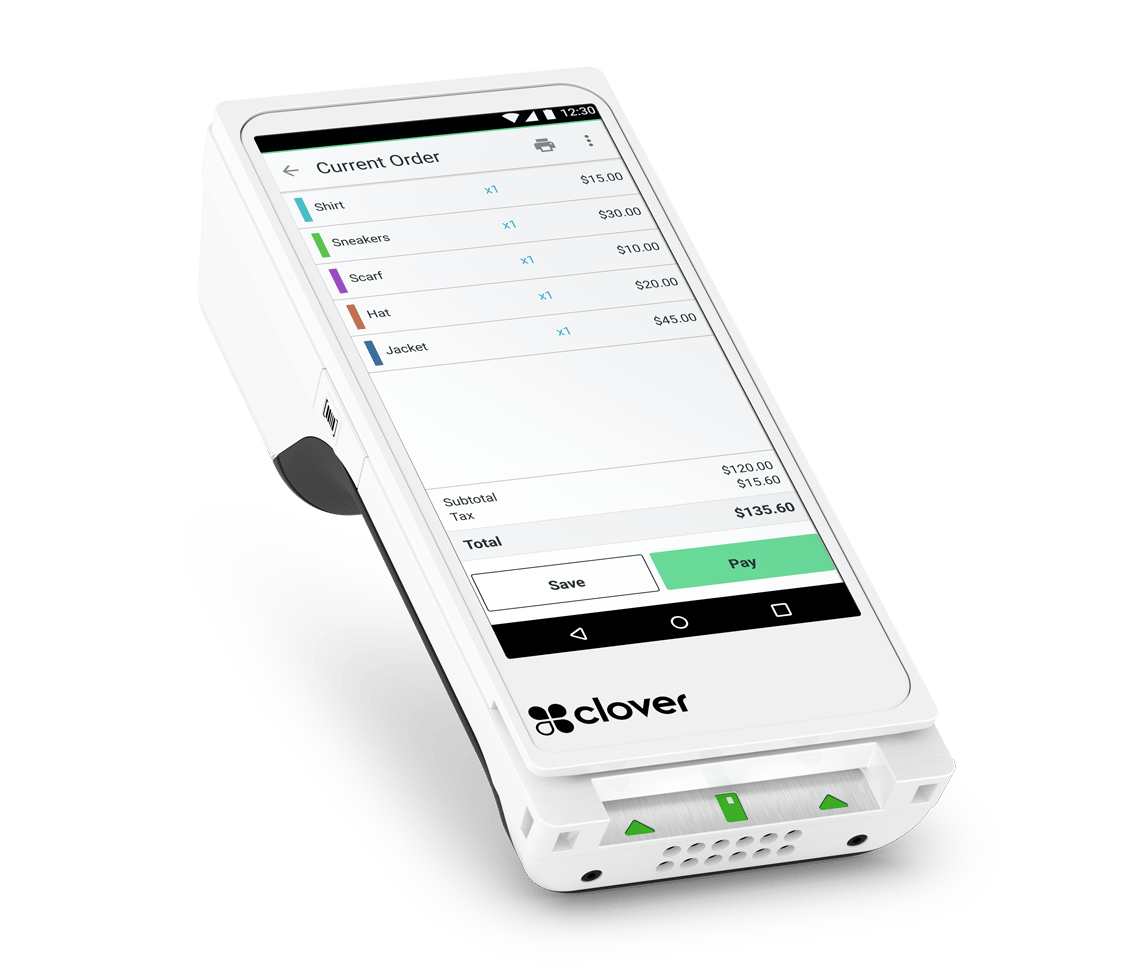
(Image source: https://www.cloverpayprocessing.com/)
Clover sells three devices that cover most of the middle of the market:
- Clover Go (~$199) is a pocket reader that pairs to an iOS or Android phone over Bluetooth. Unlike tap to pay, it takes contactless, chip, and swipe payments, and syncs every sale to the Clover dashboard.
- Clover Flex (~$649–$749) is a handheld smart terminal with a built-in printer, barcode scanner, and access to the Clover app market. Salons, repair shops, and appointment-based businesses like it because staff ring up and collect payment anywhere in the shop.
- Clover Mini (~$849) is a compact 8-inch touchscreen with a built-in printer that fits tight counters and gives customers their own screen.
Flex and Mini blur the line between reader and POS. That's fine if you want an all-in-one — just know you're buying a system, not only a card reader.
Pro tip: Clover sells through hundreds of resellers, so pricing, contract terms, and support quality swing widely depending on who signs you up. Read the agreement before you sign.
Ingenico and PAX: For Multi-Lane Counters
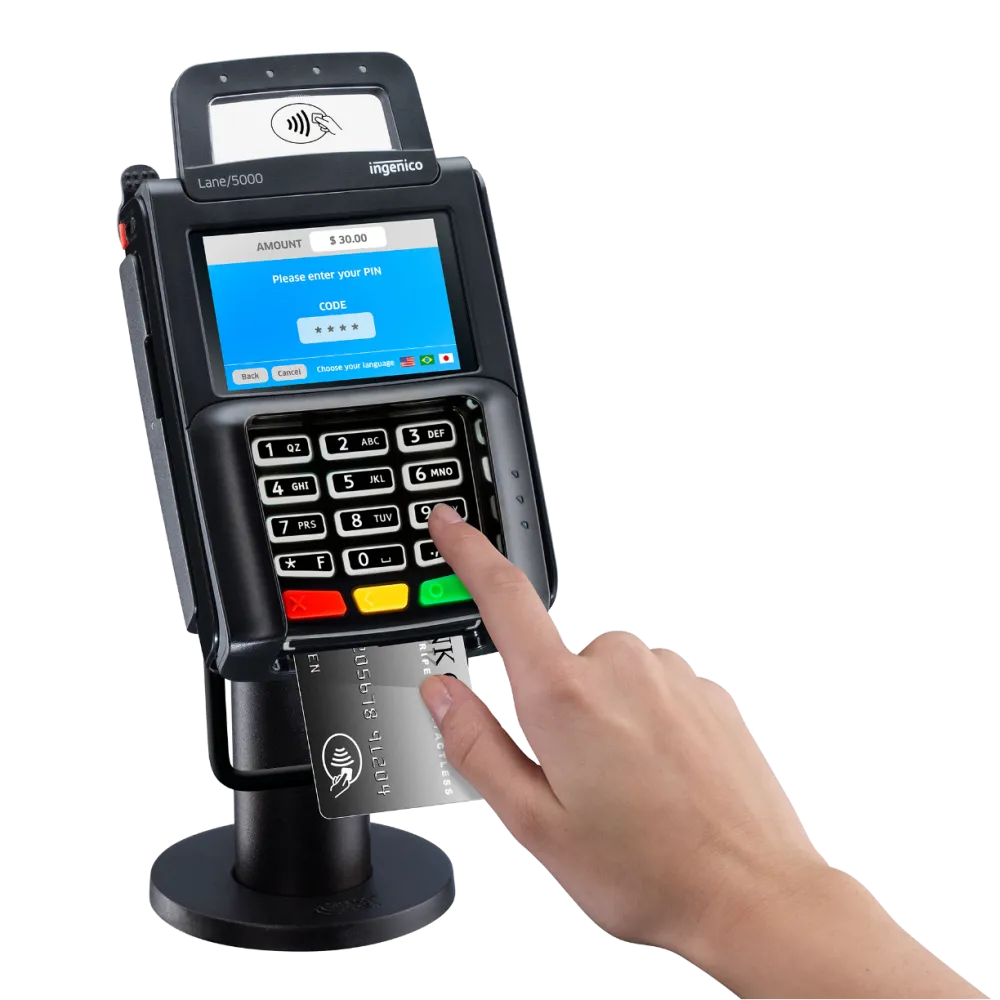
(Image source: https://ingenico.com/us-en/products-services/payment-terminals/tetra/lane3600)
Retailers with several checkout lanes lean on dedicated pinpads, which connect to your existing POS instead of replacing it. Ingenico's Lane/3600 and Lane/5000 LE are the multi-lane standard: fast contactless, chip, and PIN entry, USB, serial, or Ethernet connections, and processor certifications that run deep across the US. PAX pinpads are a cost-effective alternative with tactile keypads, privacy shields, and customer-facing displays.
Pro tip: PAX has moved its current lineup to the Q25, Q30, A30, and A35 series. If a reseller quotes you an older SP30, ask whether your processor still supports it.
Best Credit Card Reader by Store Type
The right reader depends less on your revenue than on how your counter actually works.
- Liquor and bottle shops: You need age verification prompts and a reader that keeps the line moving on a Friday night. A countertop reader tied to your POS handles both, and it puts the card in the customer's hand while your cashier keeps scanning.
- Grocery stores and markets: Look for fast tap performance and a build that survives spills. If you sell by weight, the integration matters more than the device — make sure it works alongside your scanner scale without a separate total entry.
- Tobacco shops and cigar lounges: High-risk processing is the deciding factor here, not the hardware. Confirm your processor supports your category first, then choose a reader they certify.
- Convenience stores: Small tickets and high volume make per-transaction fees the number to watch. A dedicated reader in each lane pays for itself in speed.
- Cell phone repair shops: Tickets run larger and are often split between deposit and pickup. A handheld reader lets you take payment at the bench instead of walking customers back to the counter.
- Boutiques, garden centers, and hardware stores: A countertop reader covers everyday sales, and a mobile reader covers sidewalk sales, spring events, and farmers market booths.
- Retail plus e-commerce: Choose a reader that syncs in-store and web sales so inventory and reporting stay in one place.
Card Reader vs. Terminal vs. POS: What You Actually Need
"Credit card reader" gets used loosely. Here's how the layers compare, so you buy the right one.
Not sure which layer fits your store? Grab the free POS Nation Retail POS Buyers' Guide for a side-by-side breakdown.
Do You Need a Pinpad?
A pinpad is the customer-facing device used to tap, insert, or swipe cards and enter a PIN for debit purchases. Not every retailer needs one.
Consider a pinpad if:
- Your average transaction is over $20 and you want to reduce processing costs with PIN debit.
- You run a staffed checkout and want customers to keep their cards in hand.
- You need a dedicated device for tap, chip, and PIN payments.
You can probably skip it if:
- You sell from a smartphone or mobile reader.
- Your transactions are small and speed matters more than debit savings.
- Most customers pay with credit cards or contactless wallets.
Two things to know before you decide. You can still accept debit cards without a pinpad. Most debit cards can be processed as credit, so acceptance isn't the issue — cost is. And for higher-value transactions, PIN debit's flat-fee structure may come in cheaper than percentage-based credit card processing.
Related Read: What Is a Point of Sale Transaction? [Answered]
How To Choose the Right Credit Card Reader
Start with four questions:
- What's my budget, upfront and per transaction?
- Does the reader live on the counter, or does it move?
- Which features are must-haves versus nice-to-haves?
- What does it need to integrate with?
Then, work through the following.
Will It Work With Your POS and Will It Still Work Later?
Check this first, not last. The single biggest cause of checkout headaches is a reader that doesn't talk to your POS software. An integrated reader pulls the sales total automatically and syncs payment data to your reporting and inventory. One that isn't integrated makes your cashier key in every amount by hand and creates a second system your team reconciles at close.
There's a hard limit that surprises buyers: Readers have to be encrypted to your payment processor, and many only run with specific software. A reader that worked with your last system may be a paperweight with your next one, which is why using secondhand hardware rarely ends well.
That's the case for plug-and-play over proprietary, too. Proprietary hardware locks you to one company's software and processor — simpler on day one, but you buy new hardware if you ever switch. Plug-and-play works across systems, so shopping your rates in a few years won't cost you a device. Our P5 readers are plug-and-play for that reason.
Ask two questions before you order: Is this device certified for my payment processor? And does it pull the transaction total from my POS software?
Does It Live on the Counter, or Move?
Form factor isn't just looks. A countertop reader with a customer-facing screen suits a fixed register, a handheld suits a store where staff move around, and a pocket reader suits a seller who packs up at the end of the day. Connectivity follows from that choice:
- Wired readers plug into your POS. They're rock-solid, but they stay fixed in place.
- Wireless readers move within your Wi-Fi range, which works for a flexible floor plan.
- Mobile readers pair to a phone or tablet for selling on the go.
Whatever you pick, confirm it holds a connection everywhere it needs to work — including the back corner of your store and an outdoor event your Wi-Fi doesn't reach.
How Sensitive Is the Tap-To-Pay Area?
This is the detail almost nobody checks and everybody notices later. A responsive, well-marked NFC zone means customers tap once and go. A small or badly placed one means repeat taps, shoppers asking, "Did it work?" and a cashier explaining the hardware a hundred times a day. Contactless is the default for most shoppers now, so a sluggish tap zone taxes nearly every sale.
Pro tip: Run the tap test before you standardize on any reader. Have three people — including someone who isn't tech-savvy — tap a card and a phone wallet at your actual counter height. If anyone taps twice, that friction hits you on every transaction, every day.
Does It Take Every Payment Type Your Customers Use?
Your reader should handle insert (EMV chip), swipe (magstripe), and tap (contactless NFC), including mobile wallets like Apple Pay and Google Pay.
Don't write off the magnetic stripe. A magnetic stripe reader (MSR) backs you up when your main reader goes down mid-shift, and it reads gift cards, loyalty cards, and employee cards your team clocks in with. Encryption varies, too — if your POS supports an encrypted MSR, card data never enters the software at all, so nobody can steal it from there.
Is It Secure and PCI-Compliant?
Choose a reader with EMV chip support and end-to-end encryption, and confirm it meets the Payment Card Industry Data Security Standards. Certified pinpads are also designed to detect tampering.
This isn't paperwork you can ignore. Noncompliance fines run from $5,000 to $100,000 per month, and that's before liability for fraud charges, card replacement costs, a mandatory forensic examination, and the possibility of losing your ability to accept cards at all.
Related Read: PCI Compliance Checklist
What Does It Really Cost, and Who Answers the Phone?
Look past the sticker price. A cheaper device can carry higher per-transaction rates, and a pricier one can pay for itself with lower fees. Add up four numbers: device cost, processing rate, monthly service fees, and charges for support or updates.
On the processing side, flat-rate providers land near 2.6% + 10¢ to 15¢ per in-person transaction. Square, for example, charges 2.6% + 15¢. Interchange-plus pricing is available from some processors and often works out cheaper as your volume grows. A high-volume store usually saves more from a lower rate than from a cheaper device, and a low-volume store is the opposite. Watch for equipment leases, too: A $0 terminal on a 48-month lease usually isn't free.
Then, ask who helps when it breaks. Sales stop when a reader goes down, so response time is part of the product. Favor 24/7 support across phone, chat, and email, and check reviews for how a provider handles real outages. Ask what setup involves while you're at it — if it's hard to follow with a salesperson guiding you, it'll be harder for your Saturday closing shift.
At POS Nation, 24/7 support is included because a reader you can't get help with is a reader you can't rely on.
Related Read: Passing On Credit Card Fees to Customers: A Guide for Small Retailers
Which Credit Card Reader Should You Buy?
There's no single winner for every store, but there is a clear default for most retailers running a POS — a reliable, integrated countertop reader like the P5. It takes every payment type customers expect, connects over Wi-Fi or Ethernet, runs through power blips on battery, and updates itself. Add a mobile reader if you also sell at events, and both counters are covered.
If you're still deciding between a standalone reader and a full system, settle that question next. A reader takes payments. A POS ties those payments to your inventory, reporting, and loyalty in one place — and for a small- to mid-sized retailer, that connected setup usually earns its keep.
Ready to match the right reader and POS to your store? Use the Build and Price tool to configure a system with the reader that fits how you sell, or schedule a demo to get a custom recommendation for your counter.


A record-breaking sales achiever with a talent for matching clients to perfect solutions, Brian thrives on calculated risks — whether closing deals or conquering the 230-mile John Muir Trail. His straightforward approach and keen ability to ask the right questions drive consistent top performance and client satisfaction. A keen writer, Brian loves sharing his knowledge about all aspects of small business.